
Acceptable Bit Types
Bits that work with VCarving are Engrave/Chamfer mills and Tapered Mills. Tapered Mills (ie: a Tapered Ball Nose / TBN) will only work with the Pencil operation (3D Toolpaths) and will not work with the Engrave toolpath for 2D flat inlays. However, there is an easy work around to use a tapered ball nose (TBN) with Engrave, noted below. It is imperative that you setup your bit properly in Autodesk Fusion! The “Inlay Fit” will not work well if your bit is not set correctly, and yourinlay_fit_tolerance will be very off.
Bit Angle
Bits are usually (but not always) named and sold by the Inclusive Angle, which is the total angle. The Taper Angle is half the inclusive angle, as shown to the right. Fusion will name bits based on the Taper Angle — so if you see it named as a 30 degree bit in Fusion, don’t get confused and put 30 degrees as the Parameter when it is really 60; things won’t work right!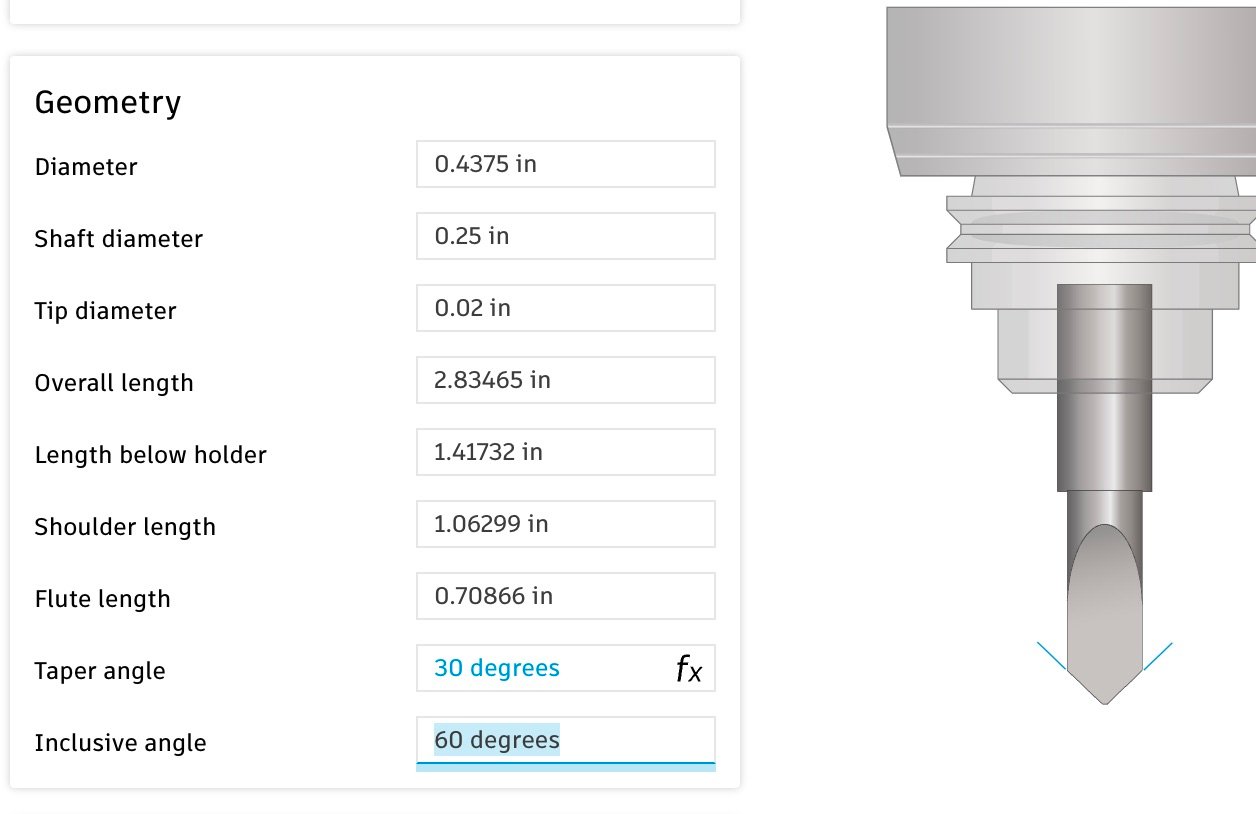
This is a 60 degree bit with an 0.020 in tip diameter. The total angle is 60 degrees; the taper angle is 30 degrees, and Fusion will show the name as a 30 degree bit. In VBit Inlay the Inlay Bit Angle should be put as 60 degrees
Pure V-Bits (No Tip Diameter)
Set a tip diameter on all bits - even pure V-Bits!
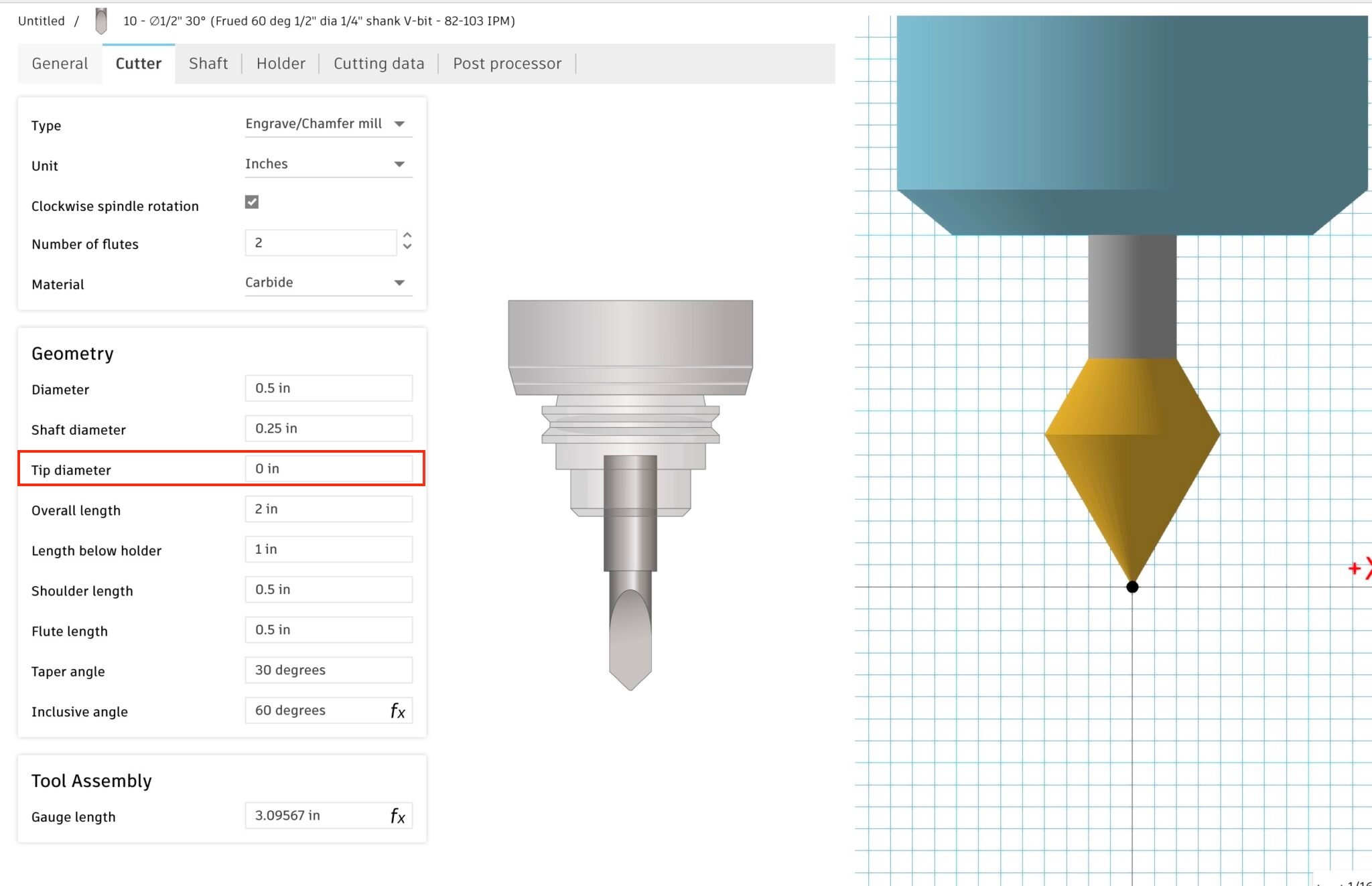
This bit has a 0 tip diameter, and some toolpath generations will fail with it! Simply set a small diameter, such as 0.001 in.
Tapered Ball Nose (TBN) for Engraving
TBN bits work fine with 3D toolpaths, but Fusion will allow them for a 2D “Engrave” Toolpath for flat inlays. Workaround: You can copy your TBN tool and set the type to be an Engrave/Chamfer mill and set the tip diameter to be the ball diameter. Then it will work as for Engrave / 2D Toolpaths, but note that it will act like it has a flat bottom instead of a ball. For a steep TBN, this won’t cause much discrepancy with what it cuts: 5.26 tapered ball nose bits will have about a 0.001” cut difference.Example: SPE W01005 Tapered Ball Nose Setup as an Engrave Bit
Example: SPE W01005 Tapered Ball Nose Setup as an Engrave Bit
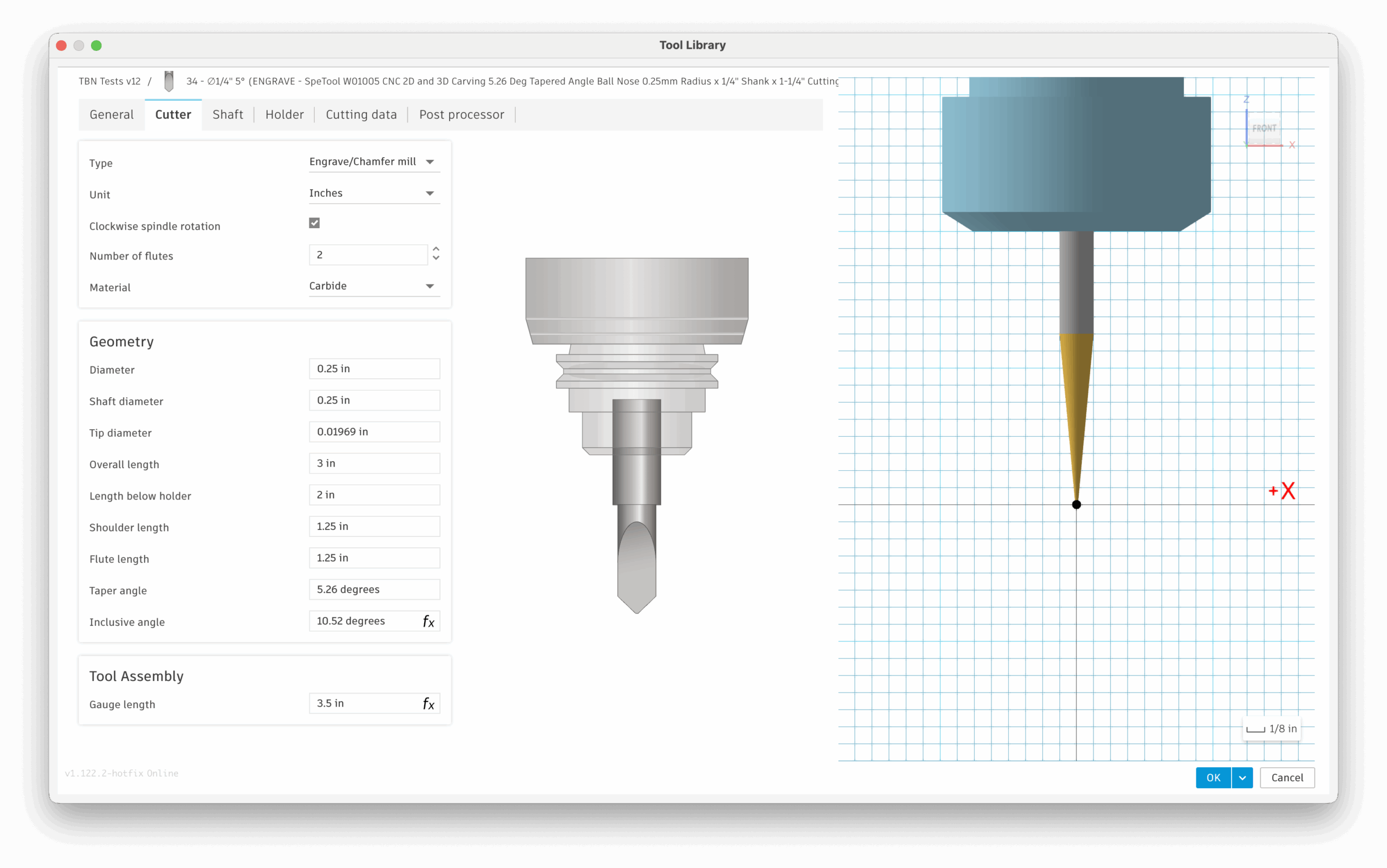
Don’t get the diameter confused with the radius! Most bits have the ball radius advertised; you must put in the diameter, which is 2xradius. An incorrect value will have your fit adjustment be way off.
Bit Recommendations
For fine detailed inlays, and use a 15 degree v-bit: Amana 15-degree v-bit or similar. This bit has a 15 degree inclusive angle and a small 0.005” tip diameter. Disadvantage: I’ve accidentally broken the tip of this fine bit one time. The SPE W01005 5.26 Deg Tapered Ball Nose is affordable and cuts really well. TBN bits are generally stronger than a v-bit, and less likely to break, especially . They also tend to be a spiral upcut bit, which clears chips better. Disadvantage: you have to round over all the corners in your design by at least the radius of the bit.Changing a Toolpath’s Tool / Bit
Be careful if you manually select a different VBit tool in your Toolpaths!
inlay_bit_angle Parameter in sync. You must go to “Change Parameters” in the design space and udpate it, if you pick a bit with a different angle! This is all automatic if you selected the bit when the plugin runs.
You must also use the same VBit for the pocket and the plug.
Need help? Join Corbin’s Facebook group CNC Woodworking or email corbin@corbinsworkshop.com