
Setup
As before, the Plug Setup is nearly the same as the 2D Plug Setup, while the toolpaths and behavior are similar to the 3D Pocket Setup with the toolpath changes noted below.1. VCarve Plug
The Machining Boundary Selection first has the Silhouette added, and then the Sketch Design is second, with it set to “Start Outside”.2. Clearance Toolpaths
These are setup identically to the 3D Pocket’s clearance toolpaths, except the inset is theplug_stock_to_leave, which is a slightly different value based on the full plug depth: tan(inlay_bit_angle / 2.0) * plug_depth. The plug_depth is plug_surface_gap + inlay_fit_adjustment
3. Clearance Rest with VBit
Same as 3D Pocket, but-plug_stock_to_leave is the boundary inset.
Multiple Depths or Roughing with Pencil
Most toolpaths have “Multiple Depths”, but Pencil does not. To work around this, right click on the Pencil toolpath and select Duplicate. Rename the first one “VBit Rough”. Double click on it to edit it. On the Passes tab, check** Stock to Leave** and set the Axial Stock to Leave to be half your inlay depth. IE: if your depth is 0.200”, set it to 0.100”.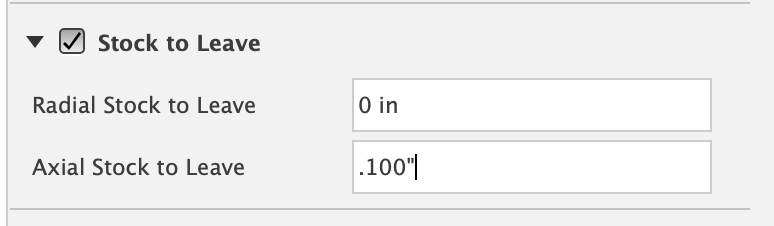
Need help? Join Corbin’s Facebook group CNC Woodworking or email corbin@corbinsworkshop.com