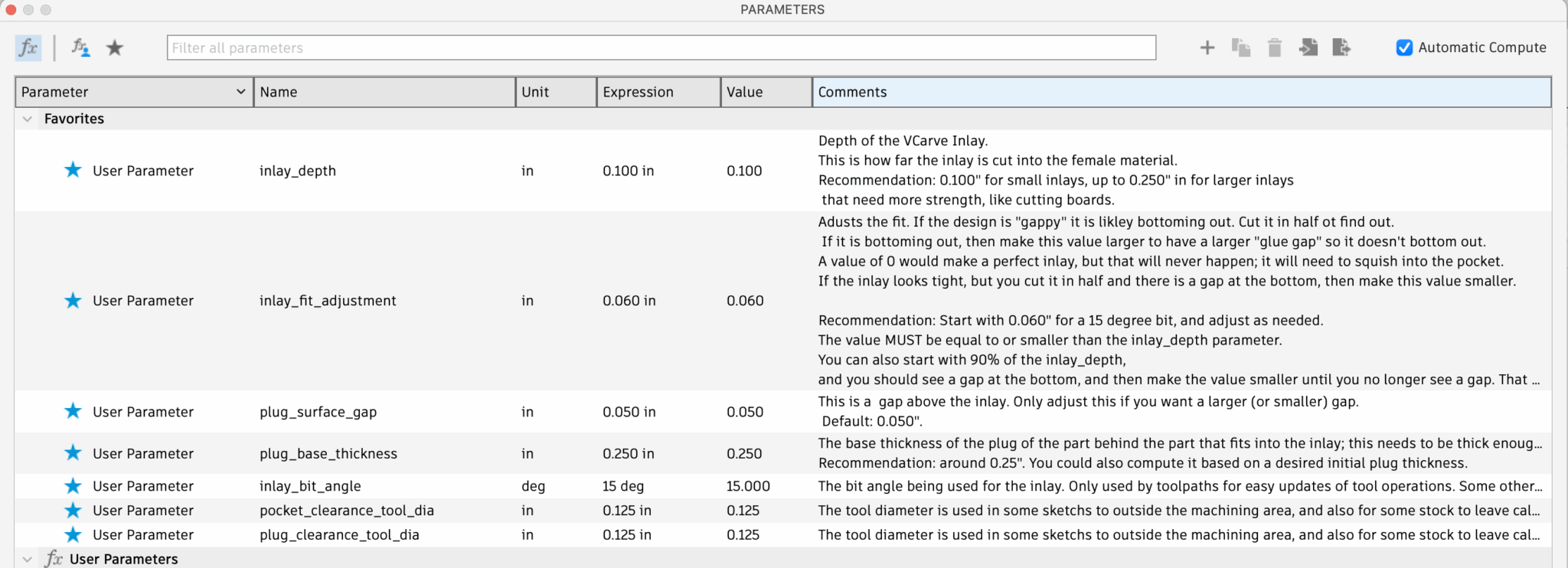
Inlays can be customized after creation by modifying Parameters. Parameters are global and affect all inlays in the document. I would like to change this at some point to have different inlays with different parameters, but for now, this is how it works. In the Design Workspace, Solid Tab, click Modify -> Change Parameters to bring up the dialog:
Change Parameters window

Change Parameters Window

For example parameters, see the Known Parameter List. The parameters have a detailed comment that describes what they do, and changing any parameter will dynamically re-create the entire model and adjust the automatically created toolpaths.
The only parameter that you may have to adjust for your particular inlay fit is the inlay_fit_adjustment, which is discussed in Adjusting the Inlay Fit
Be sure to keep the inlay_bit_angle in sync with the actual V-bit you are using, and ensure you put in the Inclusive Angle as discussed in the VBit Selection. This is automatic if you selected the bit when the plugin runs.